Showing posts with label Video. Show all posts

Wednesday, 26 June 2013

Watchup’s Video News App Becomes More Automated And Context-Rich In Its Latest Update

watchup

Watchup, the startup aiming to create the tablet version of the daily news broadcast, has released version 2.0 of its iPad app, adding features for both casual and power users.
The Watchup app pulls news videos from a range of sources, such as the Associated Press, PBS NewsHour, and the Wall Street Journal, and it stitches them together into a continuous playlist. Initially, users had to manually choose from Watchup’s videos, but in a recent update the company added the ability to automatically assemble a playlist based on your preferences, and to schedule a daily newscast.
With version 2.0, Watchup says it has made the process completely frictionless. Instead of opening up the app and being confronted with different menus and options, if you start it now, the videos just automatically play.
At the same time, you can take control of the experience if you want. If you drag the upper panel of the app down, you’ll be able to browse all of Watchup’s channels and videos. You can also read more about the topic in a given video by dragging the right panel, which should bring up related news articles. (To show those articles, co-founder Adriano Farano said the app is pulling “the most relevant metadata” from the video, then conducting a Bing search for those terms.)

Saturday, 22 June 2013

Video To Dominate Mobile Data Traffic In Four Years, Says Ericsson


mobile-devices
If you thought smartphones were ubiquitous now — and in certain places they pretty much are — prepare for a whole lot more people to be coming online on their phones in the next five years. Network kit maker Ericsson has published its latest mobility report, based on traffic measurements of live mobile networks, which projects that global smartphone subscriptions will rise from 1.2 billion in 2012 to 4.5 billion by the end of 2018 — a CAGR of 25 percent.
Ericsson is also expecting the monthly mobile data usage per smartphone to rise from 450MB in 2012 to 1,900MB by 2018. Even larger growth is on the cards for tablets, with monthly data usage forecast to rise from 600MB in 2012 to 3,100MB in 2018 — a CAGR of 30 percent. By 2018, Ericsson also reckons LTE (4G) will cover 60 percent of the world’s population. As for the mobile data driver, it’s video — with video growth underpinned by increasing availability of faster networks as LTE spreads. Larger devices with bigger screens with higher resolutions are also causing users to gobble up more MB, according to Ericsson:
The fastest growing segment in mobile data traffic is video. Increasing usage is driven by continual growth in the amount of available content as well as the better network speeds that come with HSPA and LTE development. Larger device screens and better resolutions will also drive video traffic as they will enable high definition and eventually even ultra high definition video.
Ericsson’s data shows video makes up the largest segment of mobile data traffic today — and is expected to grow by around 60 percent annually until the end of 2018 when it’s forecast to account for about half of total global traffic, dominating mobile content consumption. Good news if you’reVine, then.
The data also shows music streaming gaining in popularity — with a projected annual growth rate of around 50 percent, although Ericsson notes there is a “high degree of uncertainty” in the audio forecast because it’s “very dependent on how music streaming services develop over the coming years.” So that likely refers to stuff like Apple being rumoured to get into the streaming space, and the knock on effect a Cupertino iRadio could have on other services, should it indeed come to pass as rumoured.
On the social and web front, Ericsson reckons web browsing and social networking will each constitute around 10 percent of the total data traffic volume in 2018 — so achieving some sort of parity, even if social networking still ends up taking up more of mobile users’ time and therefore more mindshare. According to Ericsson’s data, smartphone users are spending the largest portion of their time on social networks: an average of 85 minutes a day in some networks.
Ericsson
Ericsson has also broken out mobile traffic by device type, to give a breakdown of what different devices are being used for right now, which shows how quickly video has established itself on tablets — passing smartphones video volumes already. The latter device type remains the most popular device for social networking, which dovetails with how personal smartphones are vs tablets and laptops which can be shared within groups and families:
ericsson mobility report

Hands-On With Instagram’s New Video Feature

We’ve just made our way out of Facebook’s Headquarters in Menlo Park, where Instagram CEO Kevin Systrom took the stage to debut the app’s new (and not un-Vinelike) video functionality.

photo
Kevin Systrom suggested on stage that they’ve been thinking about how to do video since day one — and if that’s the case, it shows. The new video functionality slips right into Instagram’s UI as if it were meant to be there.
As you scroll through your feed, videos are highlighted with a small play icon in the upper righthand corner. You can stop scrolling and hover over an item for 2 seconds and it’ll auto play, or you can tap it to begin playing it immediately. Even on the cellular connection I’m on right now, videos seem to start playing quickly, without a noticeable amount of time for buffering.
If you’re accustomed to Vine, the process of recording a video on Instagram is very, very similar: put your thumb down (in Instagram’s case, on a record button) to record, lift it to stop. Each time you do this, you create a new “segment” to your video, each of which can be deleted independently in the not-unlikely event that you mess up your video halfway through creating it.
image
Though clearly quite similar in concept, Instagram and Vine aren’t without their differences: Instagram’s max video length is over twice as long, at 15 seconds as opposed to Vine’s 6. The videos on Instagram don’t loop, which is interesting; while looping is something that may be a bit signature to Vine, I feel like it’s a bit limiting to not at least give the user the option. Oh, and of course, you’ve access to Instagram’s signature feature: filters.
Like with photos, filters must be applied after you shoot a video — you can’t see how a filter would look in a certain environment before filming. Once you’ve got your video shot, though, filters are applied in realtime on top of the video as your preview plays back.
One big catch: while you’ve always been able to import photos from your phone’s camera roll into Instagram, you can’t do that with videos — at least not in this first version. If you want a video in Instagram, you have to shoot it in Instagram. Kevin tells me that this is largely an interface challenge (how do you make it just as simple to edit an imported video?), but issomething that they’re considering changing in future releases.

Friday, 21 June 2013

The entire history of Windows in one video


Windows has come a long way over the decades from the now antiquated-looking boxes of Windows 1.0 to the layers upon layers of desktops, start screens, charms, tiles, and whatever that bar on the left is in Windows 8.

Now, you can spend a little over an hour watching the entire evolution of Windows unfold in the video below. For some reason, someone spent what looks to be a few hours (the video seems to have been sped up) upgrading Windows using a virtual machine all the way from Windows 1.0 to the latest Windows 8 Pro.
The result is an hour and seven minutes of pretty comprehensive history for the world's most famous graphical user interface (GUI). Along the way, we get treated to a few quick games of classic Reversi and Doom, which launch easily from the early versions of Windows. However, Doom has some real problems launching from a version of Windows 1.0 running within Windows 8. How deliciously uber-meta-nerdy...
Most hilarious: how quickly the earlier versions of Windows install, and how much of the video is basically waiting for Windows 8 to load. This is to be expected of course, but for someone with distant memories of fumbling for hours with the more than 15 floppies needed to install Windows 95, it's satisfying -- and a little maddening -- to see the process fly by.

Thursday, 20 June 2013

Windows 8.1 revealed in new Microsoft video

The Windows 8.1 Start screen.
Microsoft is offering people a peek at Windows 8.1 in action courtesy of a new video.
Posted Wednesday on YouTube, and embedded into a Microsoft blog, the tour conducted by Jensen Harris, Microsoft's director of program management for Windows User Experience, shows off key enhancements to the Start screen, the All Apps screen, and the search tool.
The video kicks off with a glimpse of the new lock screen, which can now display a collage of photos gathered from your PC and your SkyDrive account. The tour then segues to the Start screen where you can now shrink or enlarge your tiles using a wider array of sizes.
Then it's on to the All Apps screen, where tiles can now be sorted by date installed, most used, or category, as well as by name. Tiles from the All Apps screen can easily be added to the Start screen via a touch of your finger, assuming you're using a touch-screen device.

Windows 8.1 will let you better customize the Start screen using new built-in images or the same wallpaper that appears on your desktop. That latter option is a smart move on Microsoft's part as it helps to unify the Start screen and desktop, at least in appearance.Moving and naming groups of apps on the Start screen is much easier in Windows 8.1, as Harris demonstrates. You can select multiple tiles at a time and then drag them into their own separate group. Windows then displays a text field where you can name the group.
The revamped search feature in Windows 8.1 ties together results from your PC as well as the Web so you no longer have to hunt for information in different places. The search pane now displays all results across categories, another time-saving feature.
Finally, Microsoft has improved the ability to run multiple apps side by side, as Harris shows. You can more easily open a new app next to an existing one and precisely adjust the size of each app's respective window.
Available free to Windows 8 users, Windows 8.1 is slated to launch later this year. But Microsoft will release a preview edition on June 26.

Tuesday, 18 June 2013

Rounds Brings Co-browsing To Mobile To Let Friends Surf The Web Together During Live Video Chats


Ronds, the video chat app and Israeli startup backed by $5.5 million in funding from Verizon Investments, Rhodium and DFJ’s Tim Draper among others, has been slowly expanding across platforms. Originally built as a Facebook-centric experience, Rounds expanded to the desktop last summer, launched Mac and Windows apps to allow its users to send and receive video calls without using their browser or signing into Facebook. A few months later, Rounds went mobile, officially debuting its first native apps for iOS and Android.

For those unfamiliar, the app essentially gives users the ability to not only participate in realtime video chat with their friends — from any media — but do so while watching YouTube videos together or simultaneously play interactive games, doodle on whiteboards, browse the Web together or send virtual gifts to each other and more.
However, up until now, most of those features have existed solely for Rounds users on Facebook, desktop and the Web, but an update to its iOS and Android apps today now allows friends to surf the Web together during live video calls. Rounds claims it’s the first hangout network to enable mobile co-browsing during video conversation.
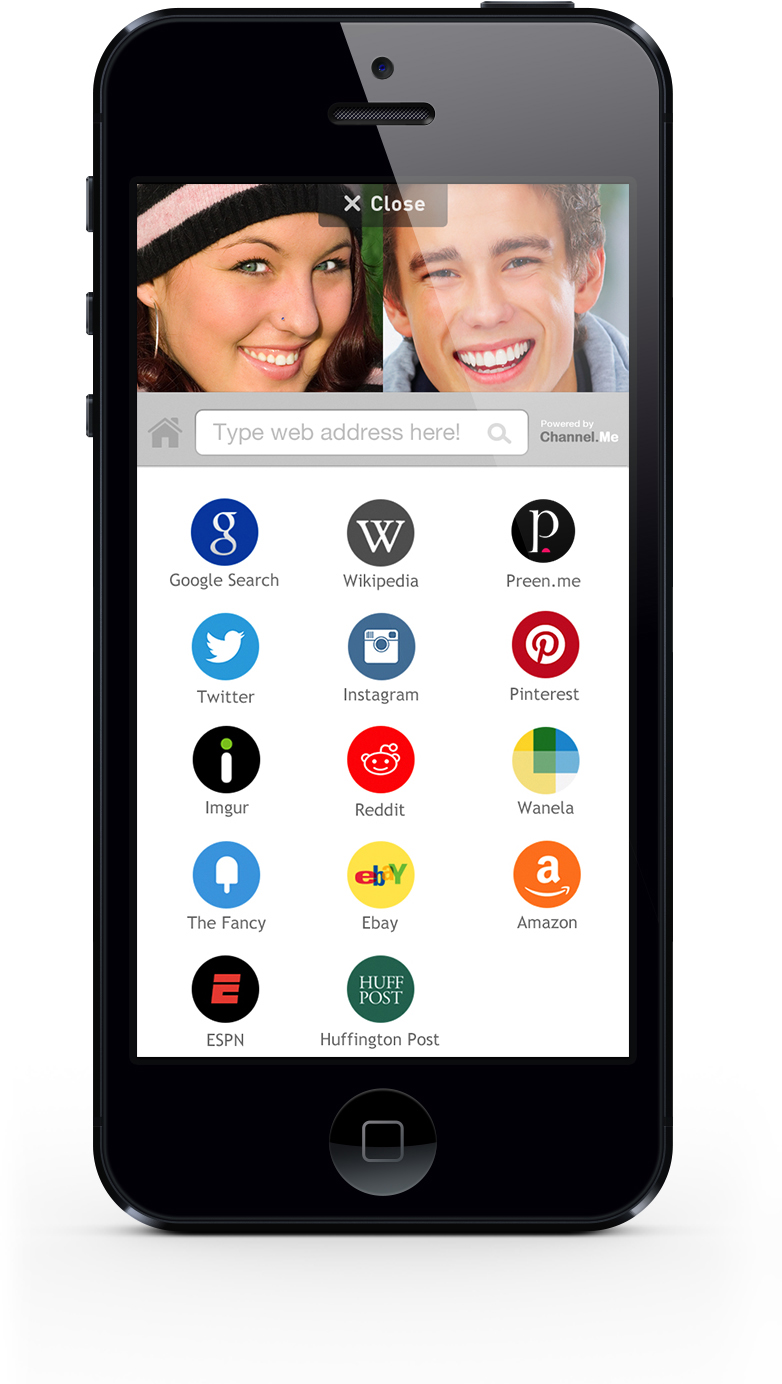
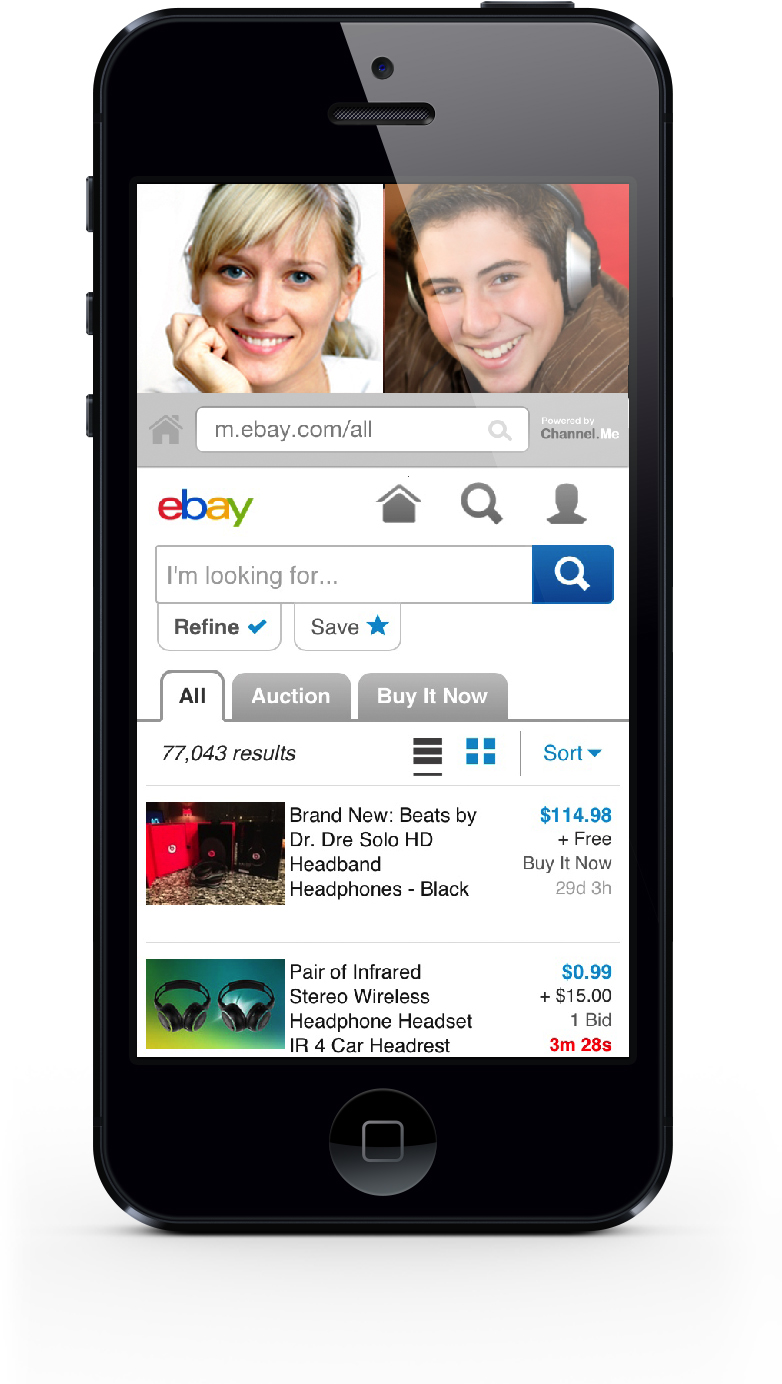
A product of a partnership with Dutch startup Channel.me, the startup’s new co-browsing functionality synchronizes your mobile device’s touch screen with that of your video chat partner, allowing both parties to surf the web and navigate the same webpage at the same time.
co-browsing0Both users can click on links and type in new URLs, the company says, while each person sees the other’s live video stream in thumbnail form. This allows them to see each other’s reactions FaceTime-style, while giving you illusion that you’re actually there, together, and not staying at a Motel 8 on a business trip.
While users aren’t subject to any limitations when they co-browse during live video calls, and users can type in any URL, it would be impossible for Rounds to beta test every site on the Web. Instead, at launch, the startup is offering a handful of sites that it “stands behind technically” and fully support its synchronized experience, including Google, Wikipedia, Preen.Me, Twitter, Instagram, Pinterest, Reddit, Amazon, eBay, ESPN, The Huffington Post, wanelo, Imgur and TheFancy. Going forward, Rounds will continue to add support for the most-requested sites, based on user feedback.
The company also tells us that, in terms of security, the co-browsing experience displays usernames and email addresses but not passwords, and users must share a pre-existing Facebook friendship before they can participate in video chats together. Once they do, they can chat, browse, play games and watch videos together and add filters and doodles on top of their videos.
While some of these features may sounds particularly appealing to older readers, since the beginning, Rounds’ target audience has primarily been teens, who eat these kind of features up. As mobile devices proliferate, retailers and eCommerce players have been looking for more ways to capitalize on the fact that our mobile devices are always with us. Not only that, but considering the offline shopping experience is inherently social, they want to emulate that social experience on the Web and on mobile.
co-browsing2Rounds’co-browsing and synchronized navigation inherently offer a more social experience when visiting sites like eBay or Amazon, allowing young users to video chat while surfing, browsing for new clothes, gadgets or products — or even while doing their homework. Don’t be surprised if Rounds’ new functionality catches the attention of the big retail players or if social platforms like G+ (and Hangouts) expand to include more of these co-browsing and synchronous user experiences.
Today, Rounds has over eight million registered users, 500K of which are on mobile, with a fairly even breakdown between male and female users (52 percent female, 48 percent male) and teens representing the largest demographic. The company also says that 43 percent of its video calls are “meaningful,” meaning that they’re longer than the industry standard, and, on mobile, users are currently making 13-minute calls on average, for example.
Since its inception, Rounds has seen over 100 million hangout sessions across its networks, which include its destination site, (formerly) Wave, Chrome, Facebook and now mobile).